One platform for the whole event.
Each part of weft draws on the same information, so a change made once is a change made everywhere: the timetable, the website, the app, the emails and the badges.
The pictures on this page are of Harvest 2027, an event we invented to show weft. Its people, organisations and photos aren’t real.
The programme
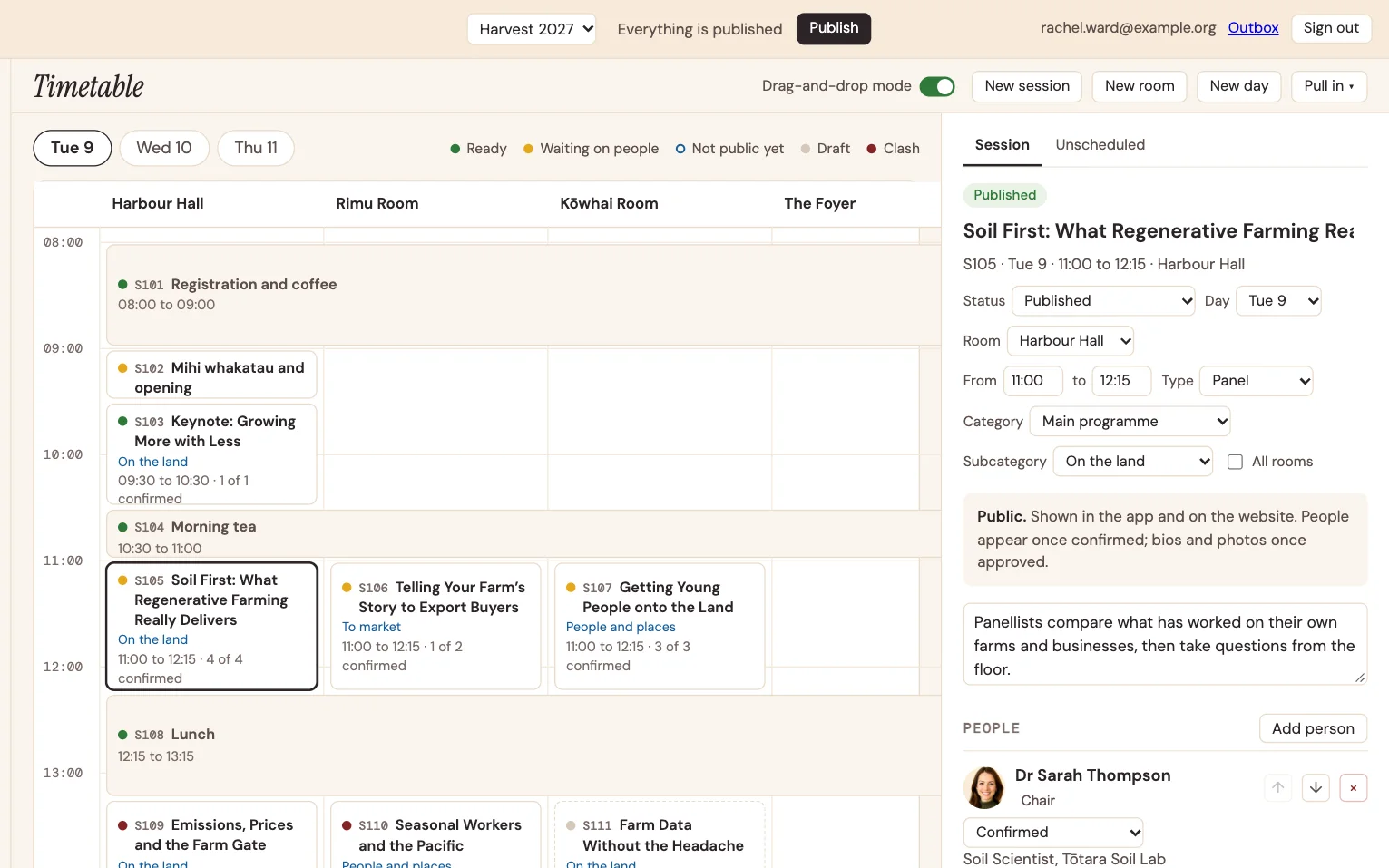
Lay out the days and rooms, then drag sessions into place.
- A timetable you can see. Day by day and room by room, with drag-and-drop when you want it and a lock when you don’t.
- Problems flagged as you go. Every session shows whether it’s ready, waiting on someone, not public yet, or clashing.
- Chairs and short papers. Technical sessions keep their run of papers and the name of the chair.
- Tours, dinners and workshops alongside the programme, each with its own places and bookings.
- Venue and rooms, with your floor plan.
- Import and export, so the spreadsheet you started with isn’t wasted.
Speakers and sponsors
The people who make the event keep their own details up to date, so you’re not chasing them by email.
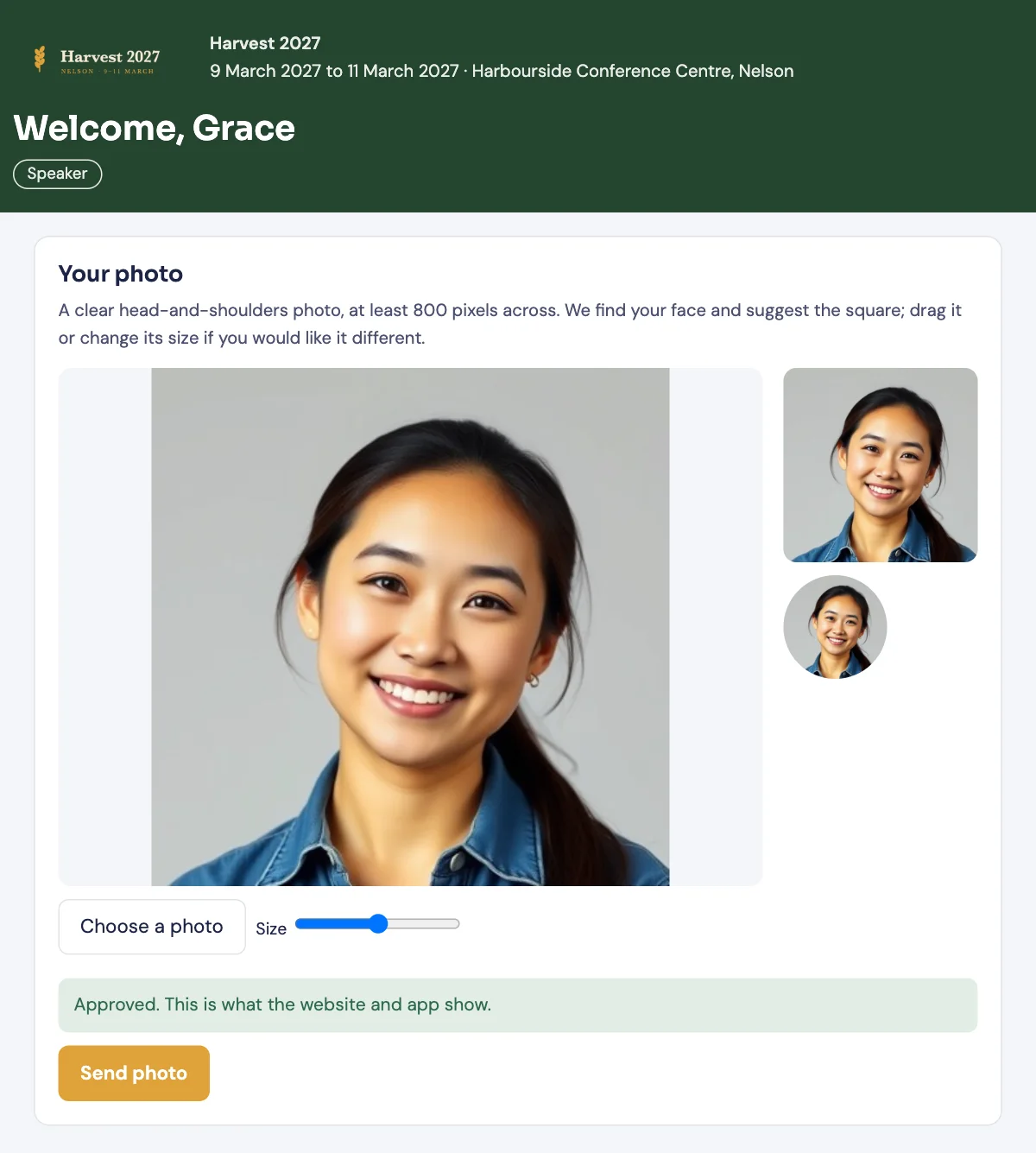
- A page for every speaker to add a photo and bio and see their sessions. You approve photos before they go public.
- Sponsors by tier, with logos and profile pages on the website and in the app.
- Exhibitors with their stand numbers on the floor plan.
- One organisation, many roles. A company can sponsor, exhibit and run a session at once, and it’s one record.
Registration and payments
Your registration form, your prices, and the money in your own account.
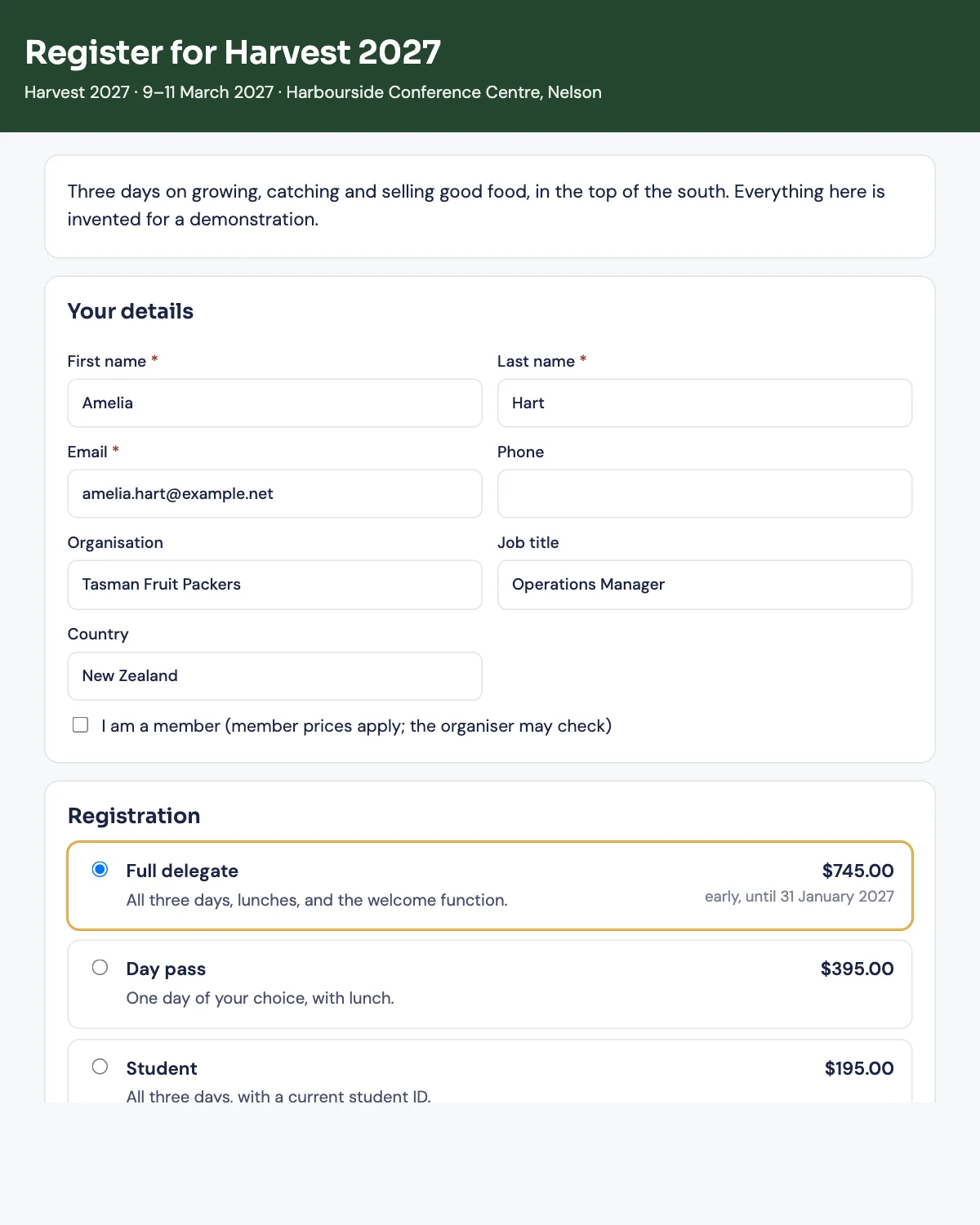
- Registration types and prices, with the questions you need to ask.
- Card payments through your own Stripe account. The money goes to you; card details never touch weft.
- Or pay by invoice and bank transfer, the way many associations do. weft records what’s been paid and reminds people what they still owe.
- Tax invoices with your GST number, made to New Zealand’s rules, and refunds when plans change.
- Dietary and accessibility needs collected once and kept encrypted.
- Forms and surveys for anything else, before and after the event.
Emails
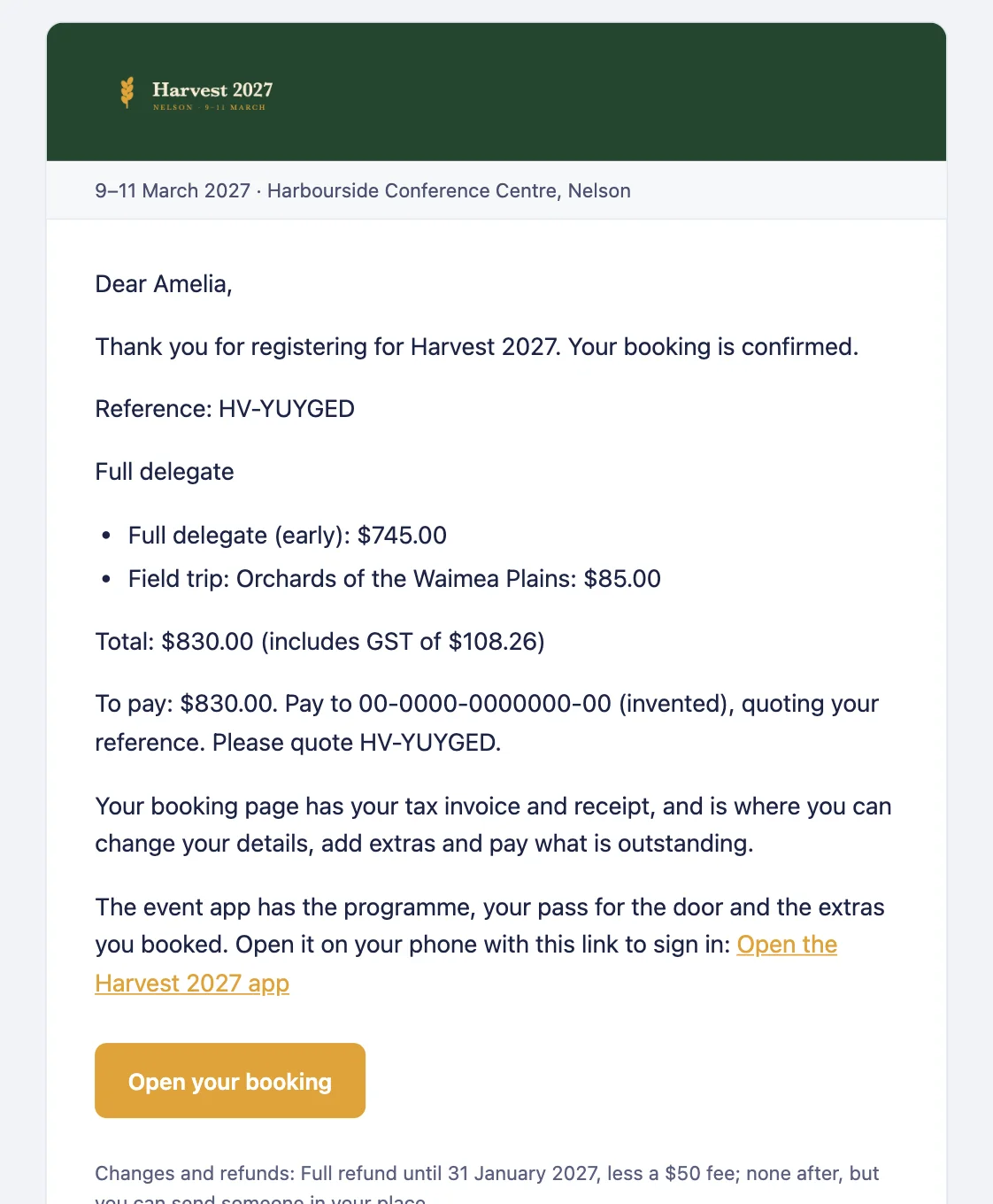
The emails people get from your event, in your event’s colours, all from one place.
- Confirmations and reminders that go out on their own, with your logo.
- Send to the right people: everyone registered, one registration type, the speakers, the sponsors.
- See what went, to whom and when.
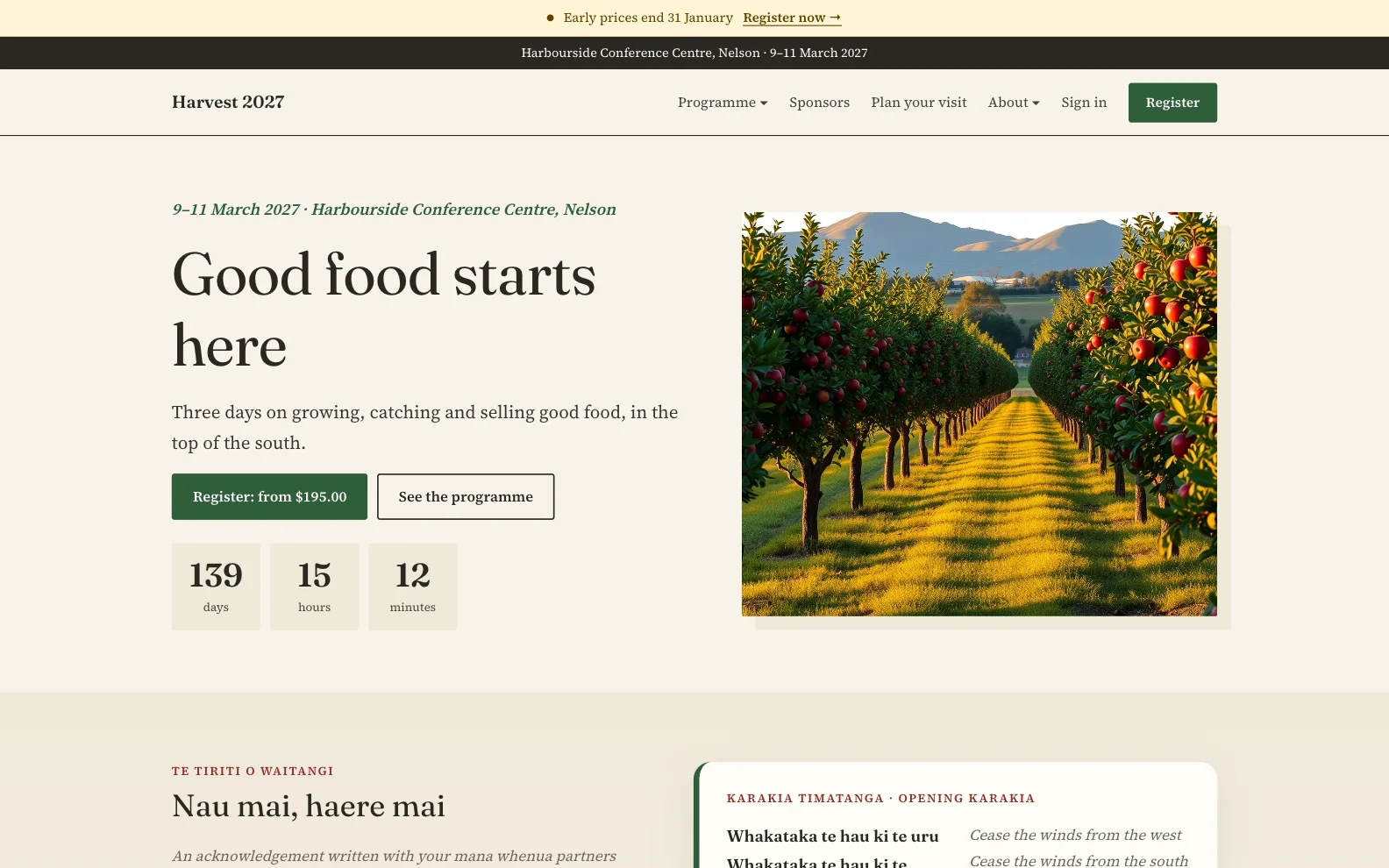
The event website
A website for each event, built from the same programme and people, live when you press Publish.
- Build it in weft from ready-made sections: the programme, speakers, sponsors, venue, registration.
- Bring your own web address, for free. Point your own domain at your event website, with the security certificate taken care of. Or use the address every organisation gets.
- Te reo Māori, built in. For events in Aotearoa, the website shows te reo alongside English, and there’s a section for your mihi and karakia.
- Already have a website? The WordPress plugin puts registration on the site you have.
- Nothing goes public until you publish, so you can work on it in peace.
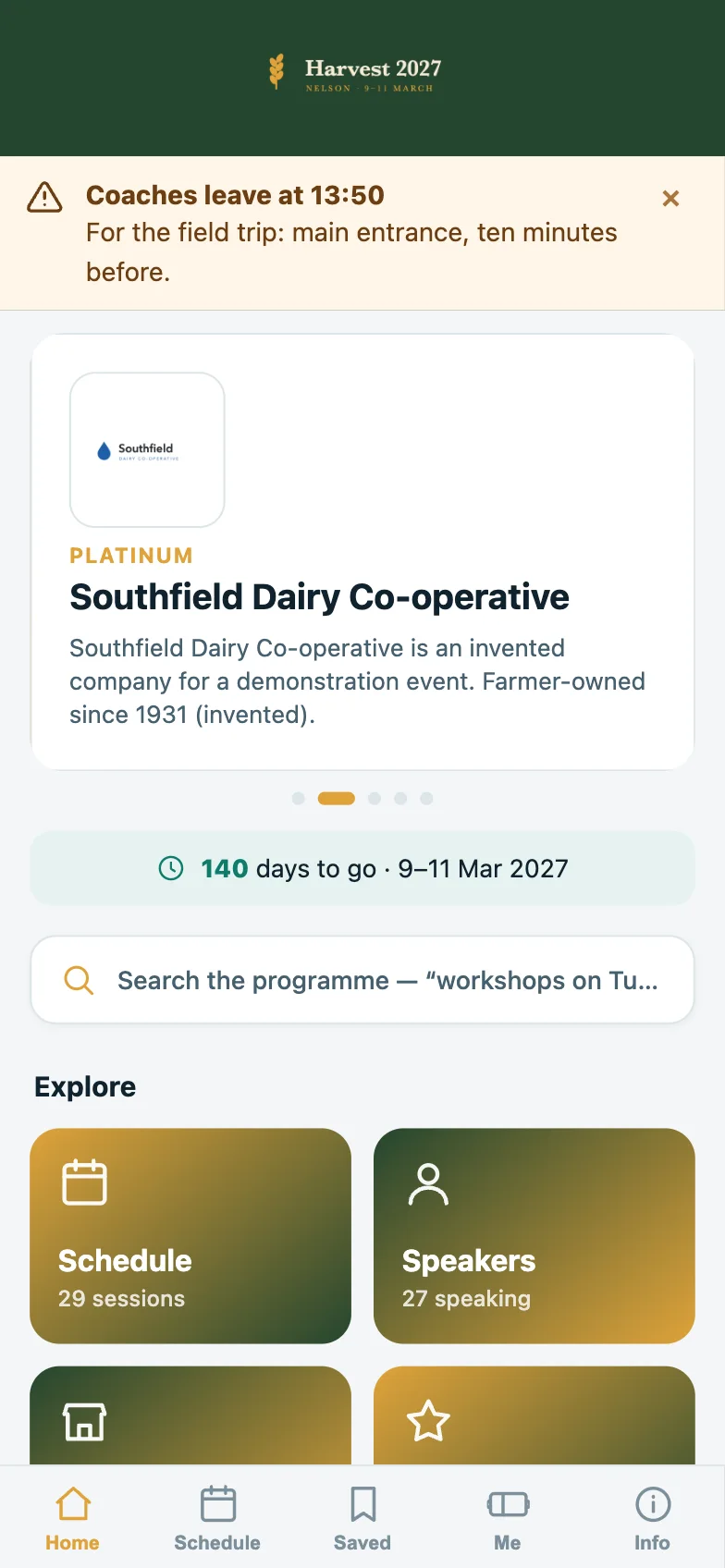
The delegate app
The programme in every pocket, with nothing to download from an app store.
- Works with no signal. Delegates add it to their home screen and it opens anywhere.
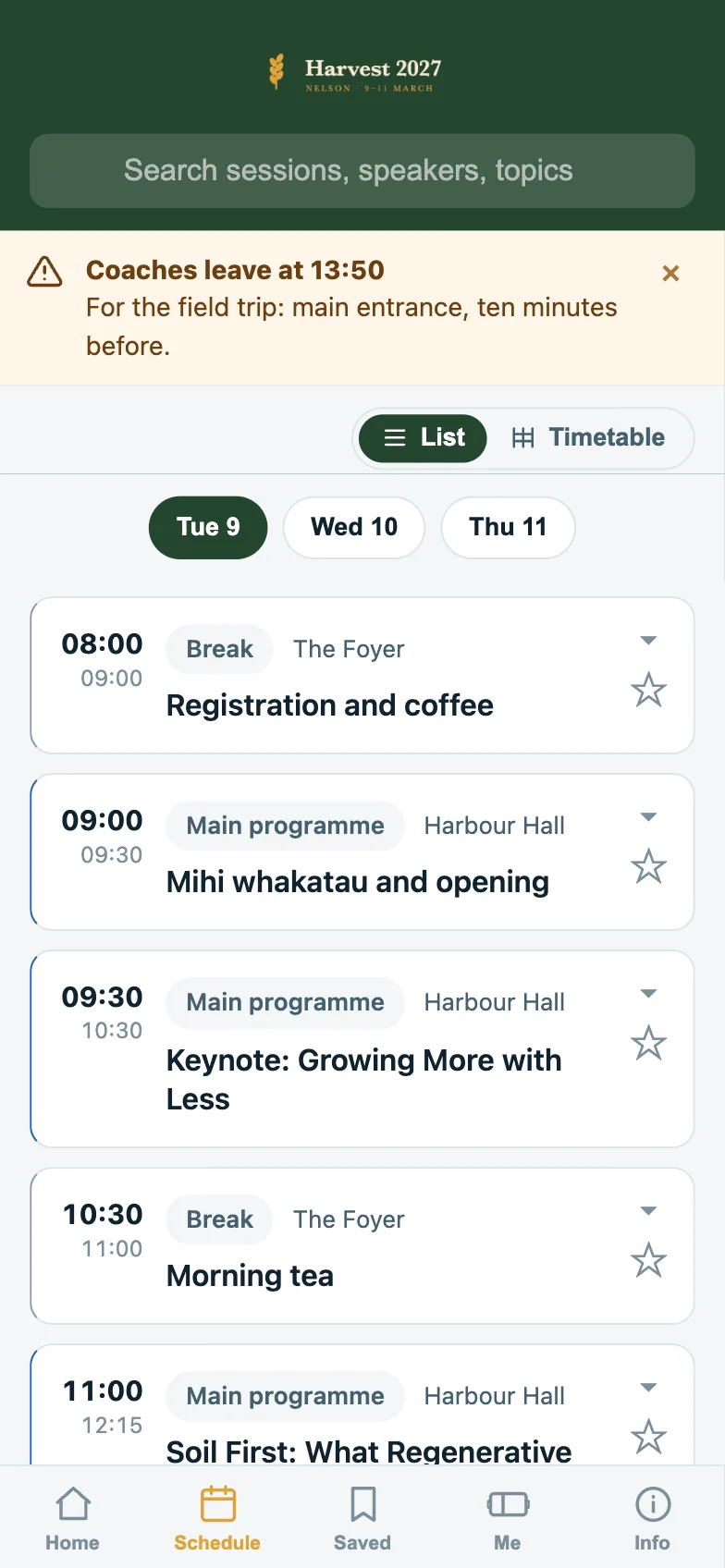
- Their own schedule. Delegates star the sessions they want, get a reminder before each, and are told when two clash.
- What’s on now, room by room, with a venue map.
- Speakers, sponsors and exhibitors, with news and late notices on the home screen.
- Networking when you want it: a directory people choose to join, meeting requests, messages and badge scanning. Off until you switch it on.
Check-in and badges
From the registration desk to the conference dinner.
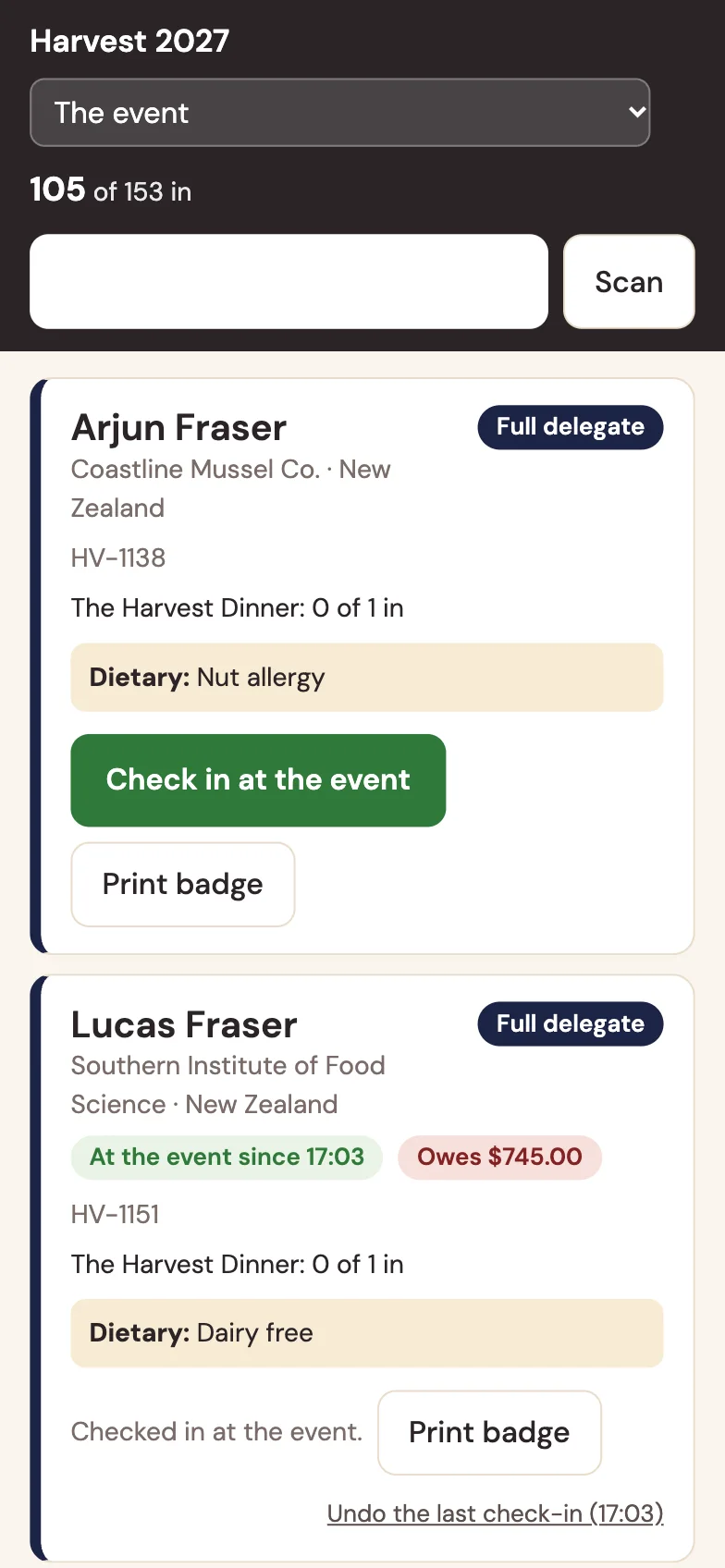
- Badges with each person’s name, organisation and a QR code, ready to print.
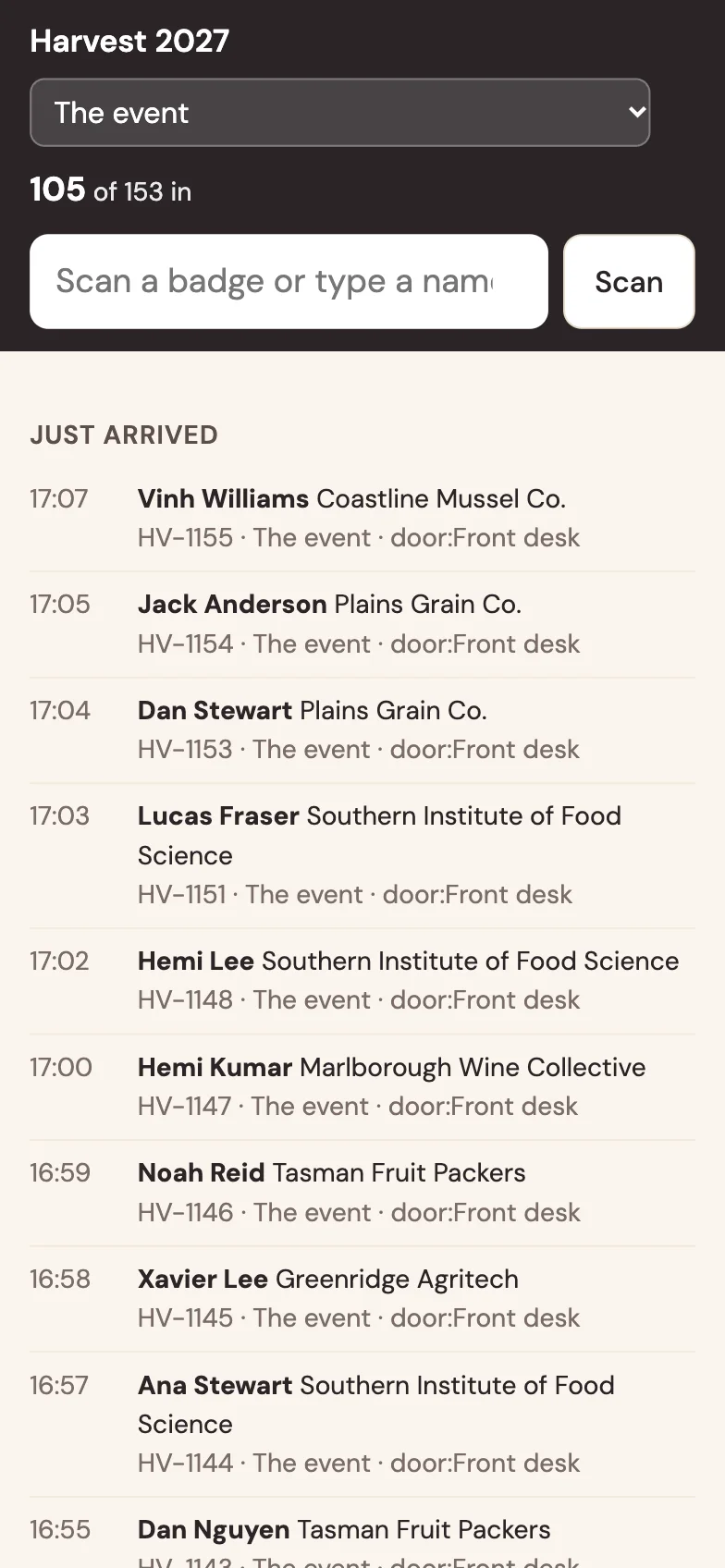
- Check people in from any phone at the door, the dinner or the tour bus.
- See who’s arrived as it happens.
Reports
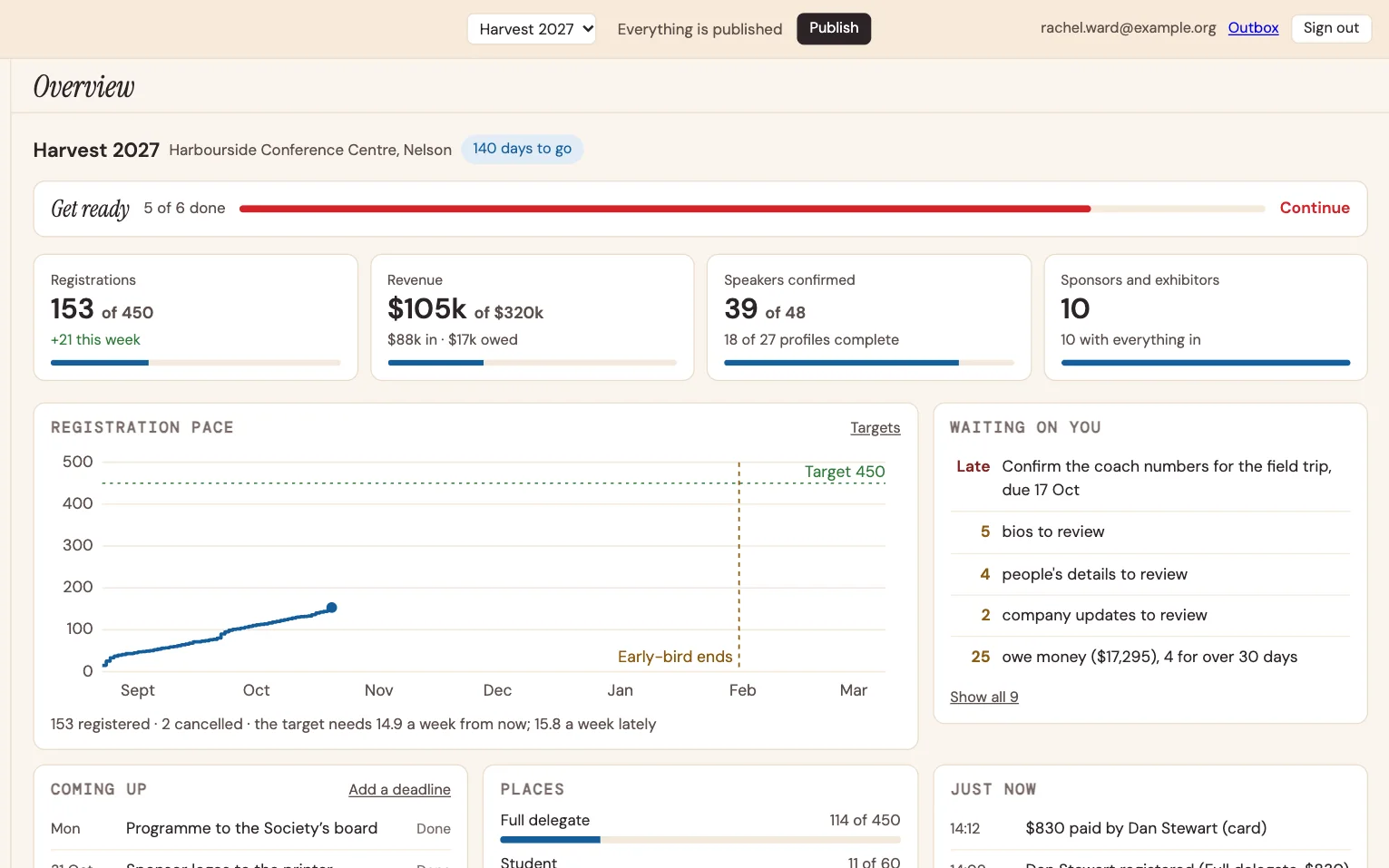
How the event is tracking, without building a spreadsheet.
- A dashboard with registrations, revenue, speakers confirmed and sponsors, and what’s waiting on you.
- Reports to share with your committee or your client.
- Everything exports to a spreadsheet.
Your team
The right people, with the right access.
- One organisation, many events, past and future, in one place.
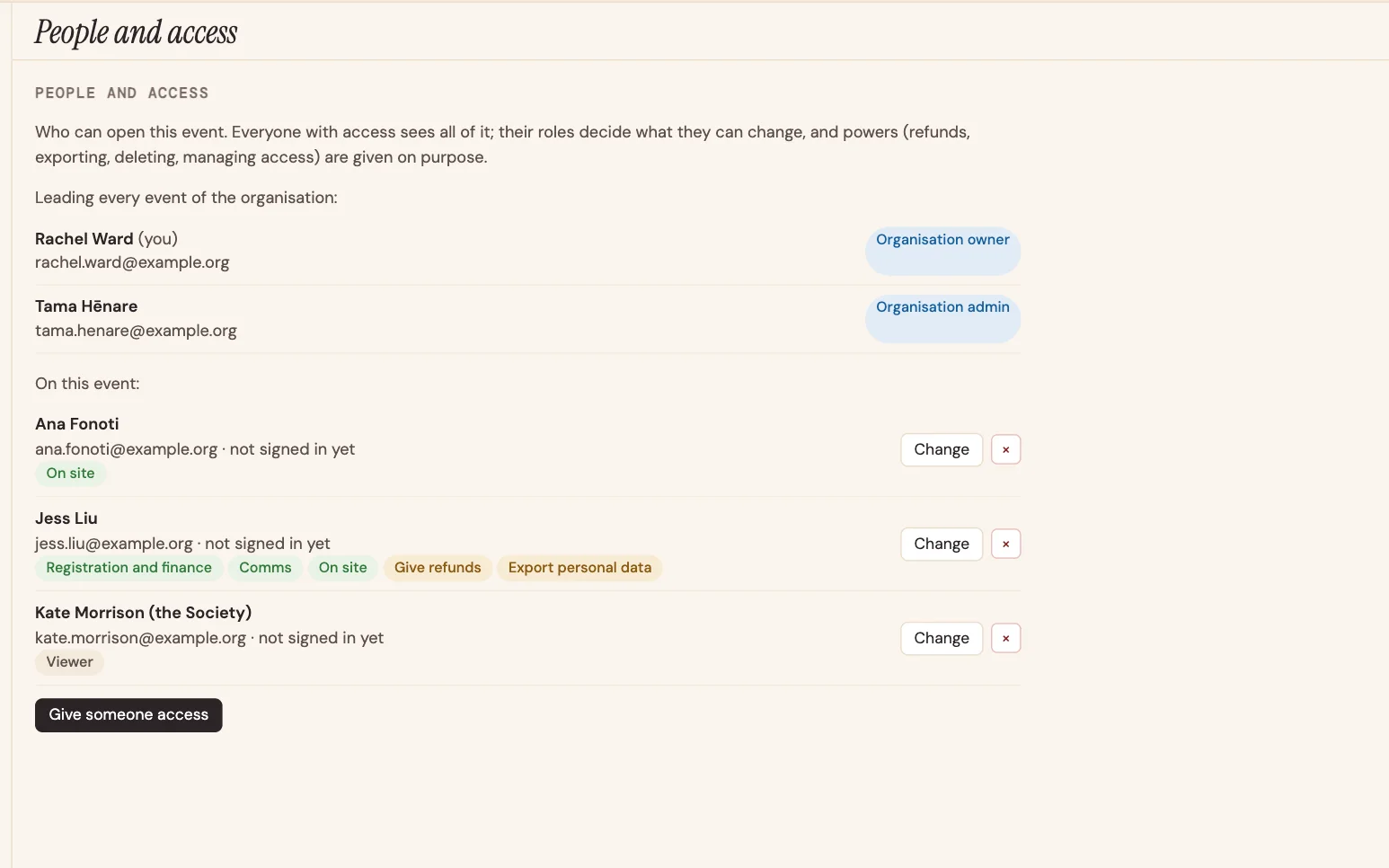
- Roles for the people who run the event, the people who help, and the people who only need to look.
- Two-step sign-in for everyone, with a passkey or an authenticator app.
- A record of every change: who did what, and when.
See it with your own event.
Half an hour on a video call, with your programme if you like.